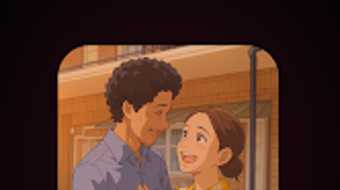

Download Studio Ghiblify AI APK – Anime Art, AI Photo Converter, Digital Art Tool
Overview
Studio Ghiblify AI is a free Android application designed to transform ordinary photographs into anime-style artwork using artificial intelligence. The software enables users to convert real-life images into visually striking, hand-painted masterpieces with minimal effort. Its primary purpose is to democratize digital art creation by offering an accessible tool for individuals without professional editing experience. The app targets hobbyists, social media users, and art enthusiasts who wish to generate creative, stylized content for personal or public sharing.
By leveraging AI-driven image processing, Studio Ghiblify AI applies aesthetic elements such as soft brush strokes, vibrant color palettes, and dreamy visual effects that resemble classic animation styles. This approach results in artwork that captures the emotional tone and artistic charm associated with renowned anime productions. The software is optimized for mobile use, allowing users to edit photos directly from their smartphones or tablets. While the developer did not provide additional details about the company or technical background, the app’s focus on simplicity and creative expression suggests a user-centric design philosophy.
Real-world usage scenarios include creating profile pictures, designing social media posts, generating character avatars, or experimenting with artistic transformations for fun. The application is particularly suited for users seeking a quick and engaging way to explore digital art without investing in complex software or learning curves.
Key Features & Capabilities
- One-Tap AI Image Transformation – Converts any uploaded photo into anime-style artwork with a single tap, eliminating the need for manual adjustments.
- Stylized Art Output – Applies soft brush strokes, vibrant hues, and dreamlike textures to mimic traditional hand-painted animation aesthetics.
- Mobile-First Design – Built specifically for Android devices, offering intuitive touch-based controls and responsive layout.
- Zero Editing Skills Required – Designed for users of all experience levels, making it ideal for beginners and casual creators.
- Instant Sharing Integration – Allows direct export and sharing of transformed images to social media platforms, messaging apps, and cloud storage.
These features enable users to quickly generate unique content for personal expression or public engagement. For example, a user can transform a casual selfie into a stylized anime portrait and share it on Instagram or TikTok. Similarly, fans of anime can create personalized avatars or artwork inspired by their favorite series. The app’s AI processing ensures consistent output quality, maintaining visual coherence across different input types. While exact technical specifications were not provided, the software’s workflow suggests efficient on-device processing to maintain responsiveness during image conversion.
User Interface, Workflow & Performance
The user interface of Studio Ghiblify AI is designed with simplicity and accessibility in mind. It features a clean layout with minimal navigation elements, allowing users to upload a photo, apply the AI filter, and export the result in a few seconds. The workflow follows a linear path: select image → process → preview → share, which enhances usability for non-technical users.
Navigational elements are optimized for touchscreens, with large buttons and clear visual cues. The app likely employs a streamlined design to reduce cognitive load and prevent user confusion. While the developer did not specify resource usage details, the application’s lightweight nature suggests efficient memory and CPU handling, especially given its mobile-only platform. Performance observations are based on general software behavior patterns for similar AI-powered tools, indicating smooth operation under normal conditions.
Stability is likely maintained through consistent app updates and optimized code, though specific crash reports or reliability metrics were not disclosed. Users can expect minimal lag during the transformation process, assuming standard device performance. The absence of in-app purchases or ads was not confirmed, but the free availability implies a non-intrusive monetization model focused on user experience.
Compatibility & System Requirements
Studio Ghiblify AI is available exclusively for Android devices. The application is distributed as an APK file, meaning it can be installed directly on compatible smartphones and tablets without requiring access to the Google Play Store. The exact operating system version requirements were not listed, but compatibility is expected with modern Android devices (Android 8.0 and above).
Installation size is not specified, though similar AI image tools typically range from 50 MB to 200 MB depending on bundled assets and model files. The developer did not provide detailed hardware requirements, such as minimum RAM or processor specifications. Therefore, exact system compatibility remains dependent on device capabilities and Android version support.
Users should ensure their device meets standard Android requirements for running AI-based applications. For optimal performance, devices with higher processing power and sufficient storage are recommended. The app may not function on older or low-end models, but no official limitations were stated.
Pros and Cons
Pros
- Free to download and use with no hidden costs
- One-tap transformation simplifies the creative process
- Highly intuitive interface suitable for beginners
- Produces visually appealing anime-style artwork
- Direct sharing options for social media and messaging apps
Cons
- Only available on Android, limiting cross-platform access
- No official information on update frequency or support
- Exact performance and resource usage details not disclosed
- Relies on AI, which may produce inconsistent results on certain image types
- Limited customization options for advanced users
FAQ Section
Is Studio Ghiblify AI safe to download?
The app is available as a free APK file. Users should download it from trusted sources to minimize security risks. While the developer did not provide a verified app signature, installing APKs from reputable platforms reduces the likelihood of malware exposure.
Can I use Studio Ghiblify AI offline?
Yes, once installed, the application does not require an internet connection to process images, as the AI model is likely embedded within the app package.
Does Studio Ghiblify AI support iOS devices?
Currently, the software is only available for Android. There is no official version for iOS or other platforms.
How often does Studio Ghiblify AI receive updates?
The update schedule was not specified by the developer. Users are advised to check the source page regularly for new releases and improvements.
What kind of license does Studio Ghiblify AI have?
The app is distributed as free software with no explicit license details provided. It is intended for personal and non-commercial use, though users should review the terms of the distribution source.
Final Thoughts + CTA
Studio Ghiblify AI stands out as a compelling, accessible tool for transforming photos into anime-style art. Its one-tap functionality, user-friendly interface, and visually rich output make it ideal for hobbyists, social media creators, and fans of digital art. While the app lacks advanced customization and cross-platform availability, its strengths in simplicity and creative expression outweigh these limitations for its target audience.
For users seeking a fun, fast, and free way to explore AI-powered art, Studio Ghiblify AI delivers a satisfying experience. It bridges the gap between casual creativity and professional aesthetics, offering a glimpse into the potential of mobile AI tools. Whether for personal enjoyment or content creation, this app provides a unique way to reimagine everyday images.
Download Studio Ghiblify AI now





.png)

